

The Rental Counter That Never Double-Books
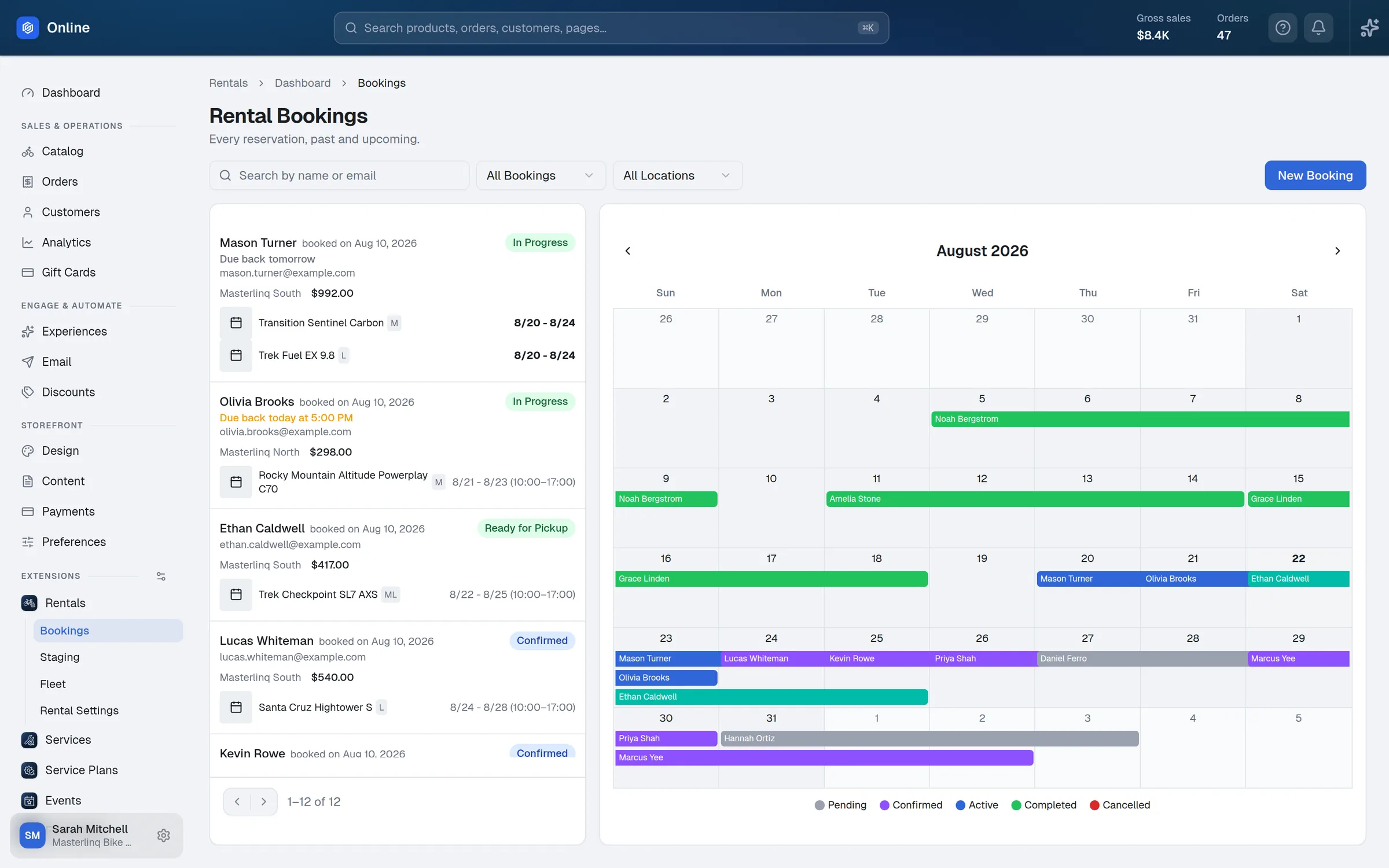
One rental engine for your website and your counter. Booked online or rung up at the register, it’s the same fleet on the same calendar — so the last bike can only go out once.
Book It Your Way
Three ways to rent, set per shop — with rates, discounts, and rules per location.
By the Day
Calendar-day rentals with daily and weekly rates, and duration discounts like “3+ days, 20% off.”
By the 24 Hours
True 24-hour windows with real pickup and return times — and hourly rentals when you allow them.
By the Time Block
Fixed slots like “Morning 10–1” with their own rate — plus full-day blocks that can run several days.
One Fleet, Two Front Doors
Customers book on your website. Staff book at the counter. Both read the same live availability.
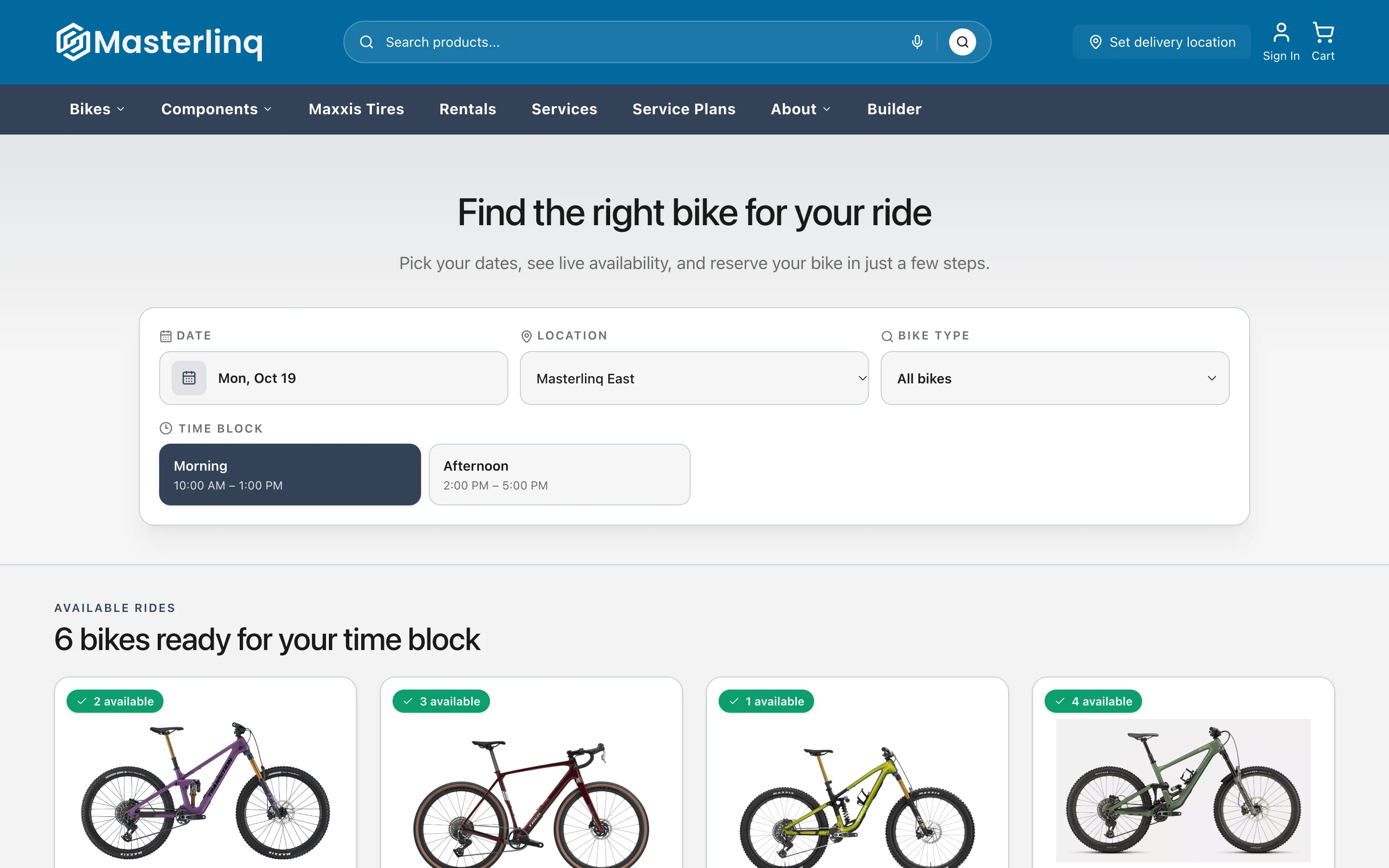
Online
Booked Like a Hotel
- Pick dates, location and time first — then see every bike that’s free, by size
- Sold-out dates and blocks are greyed out on each bike’s calendar
- Deposit charged at checkout; the card is saved for the balance
- Waivers reviewed and signed before the booking completes
- A Rentals tab in the customer’s account
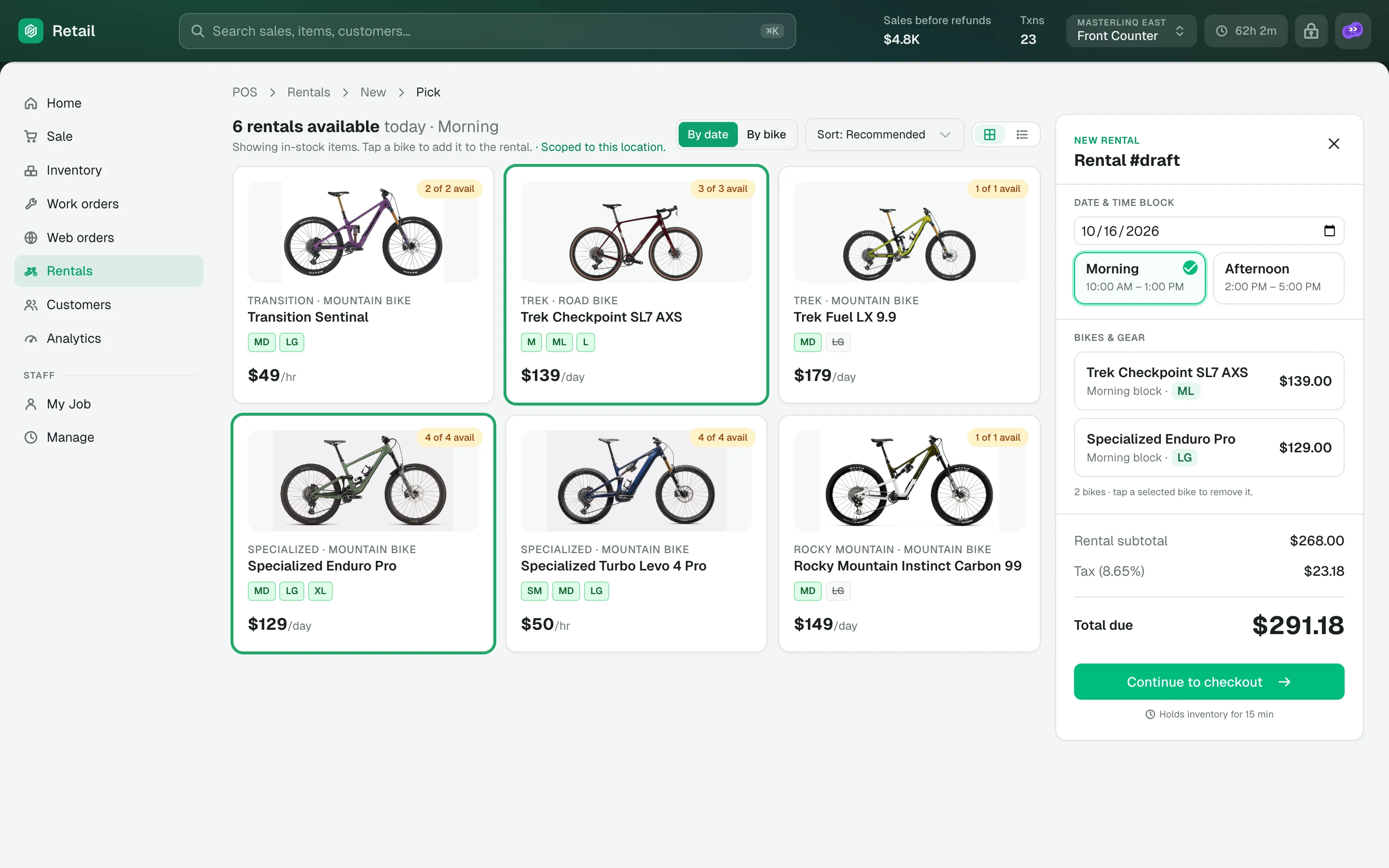
At the counter
Rung Up Like Any Sale
- Browse by date or by bike — only what’s actually free shows up
- Book it now and take payment at pickup, or ring it up on the register today
- Waiver signed on the customer-facing card reader
- Staff permissions for editing, cancelling, and charging fees
The Rental Day, Under Control
The screens your staff live in on a Saturday morning.
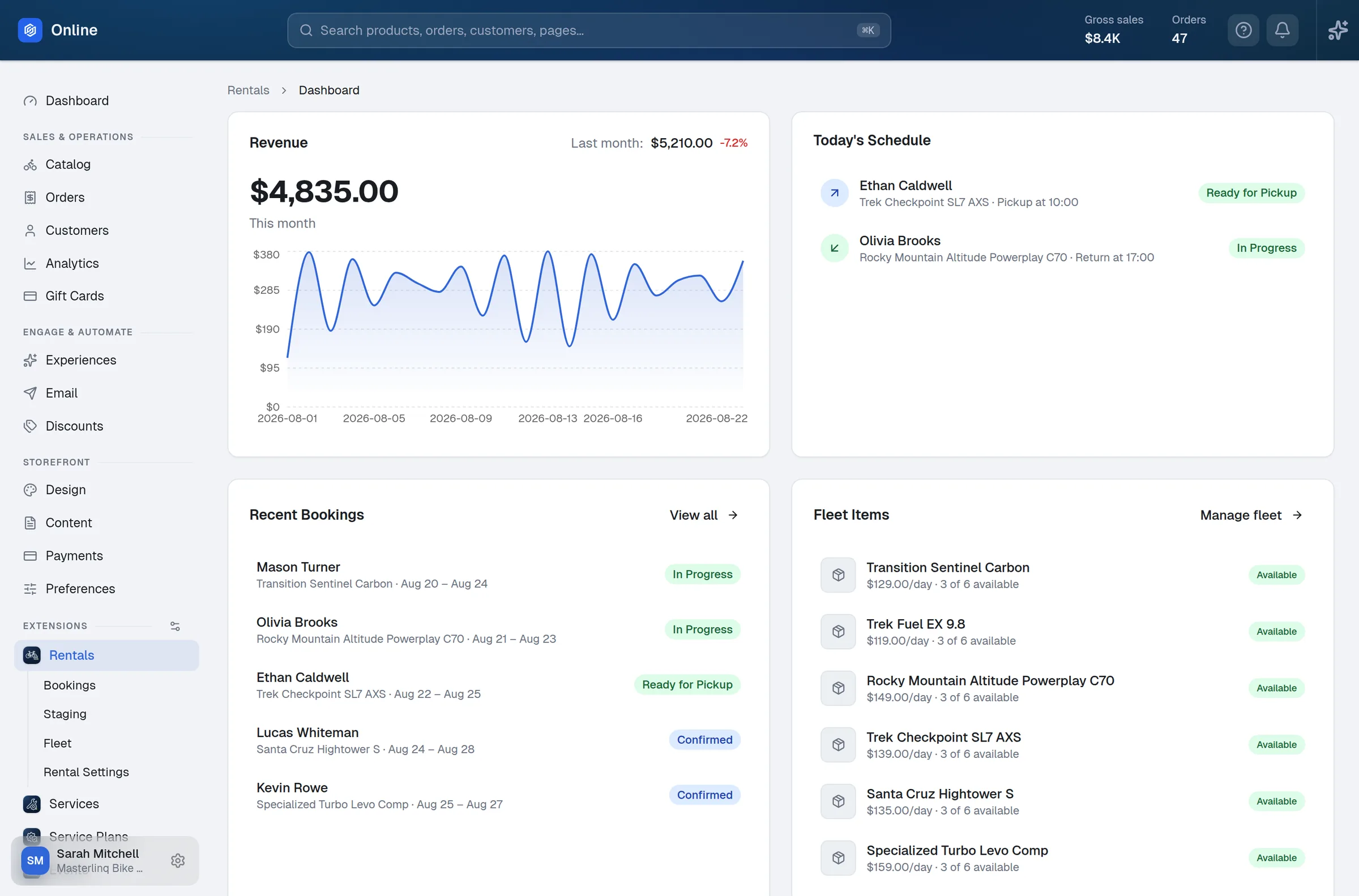
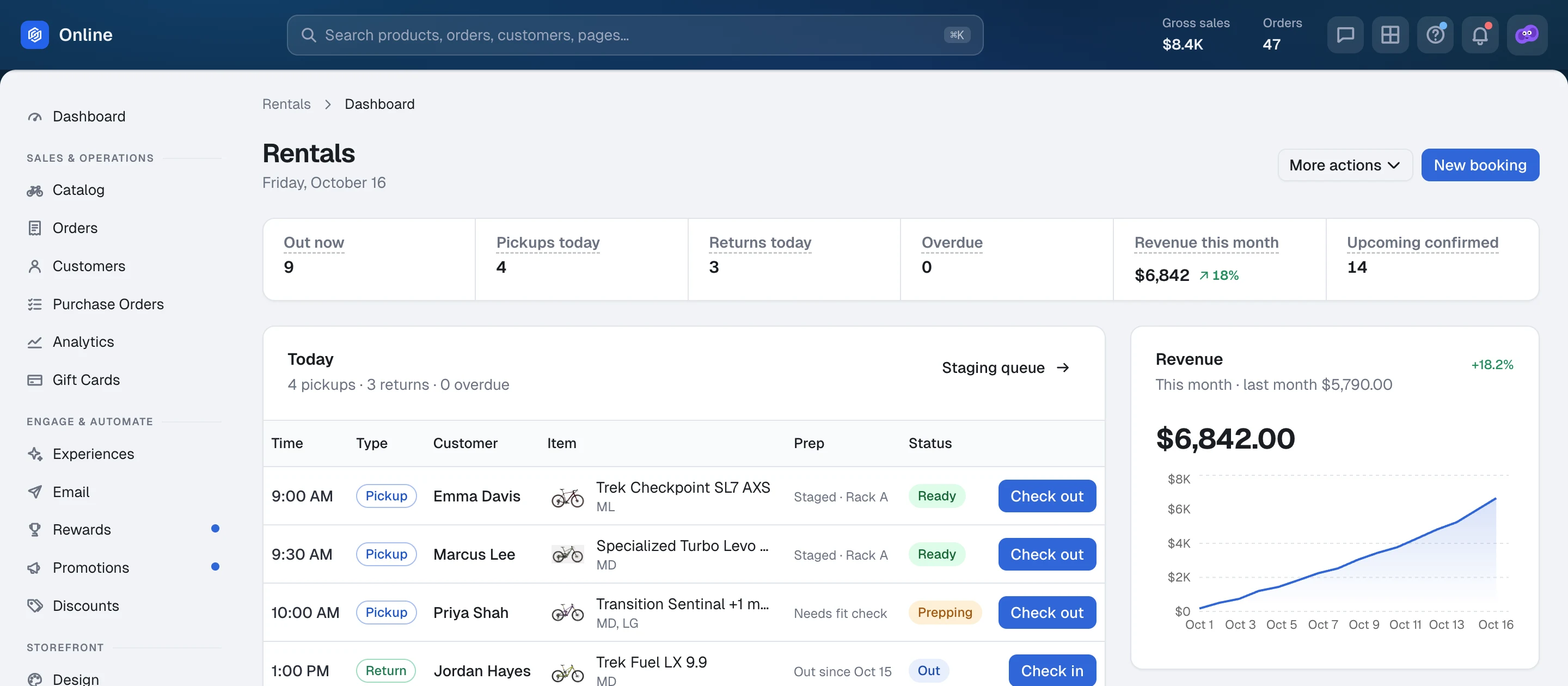
Today’s Board
Pickups today, bikes out right now, and returns due — on the store’s clock. Overdue flags, “here now” highlights, and waiver, deposit, and ID tags on every row.
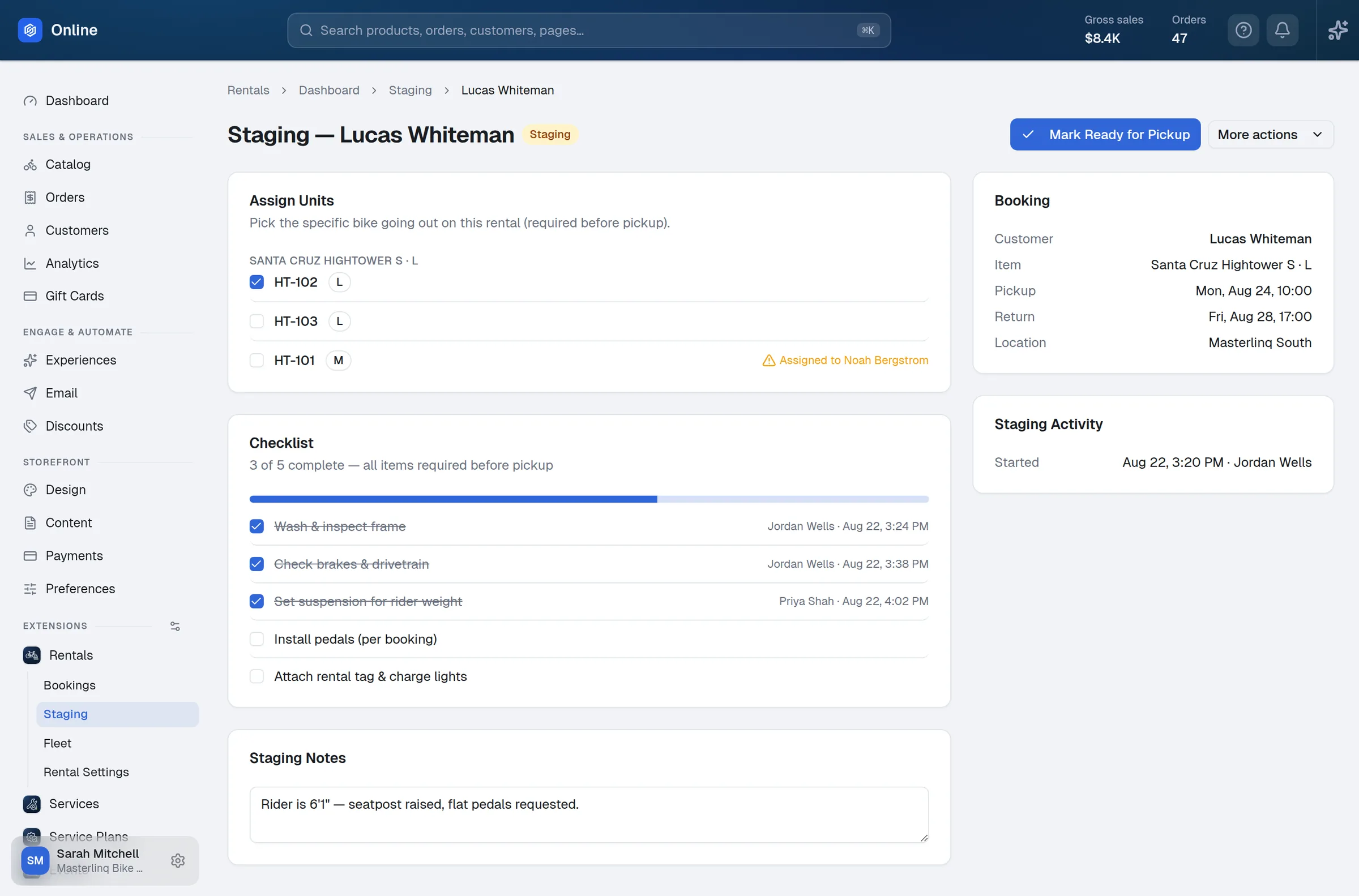
Staged Before Pickup
Your own prep checklist, every step logged by who and when. Assign the exact bike — or let it auto-assign — with a warning if that unit is already spoken for.
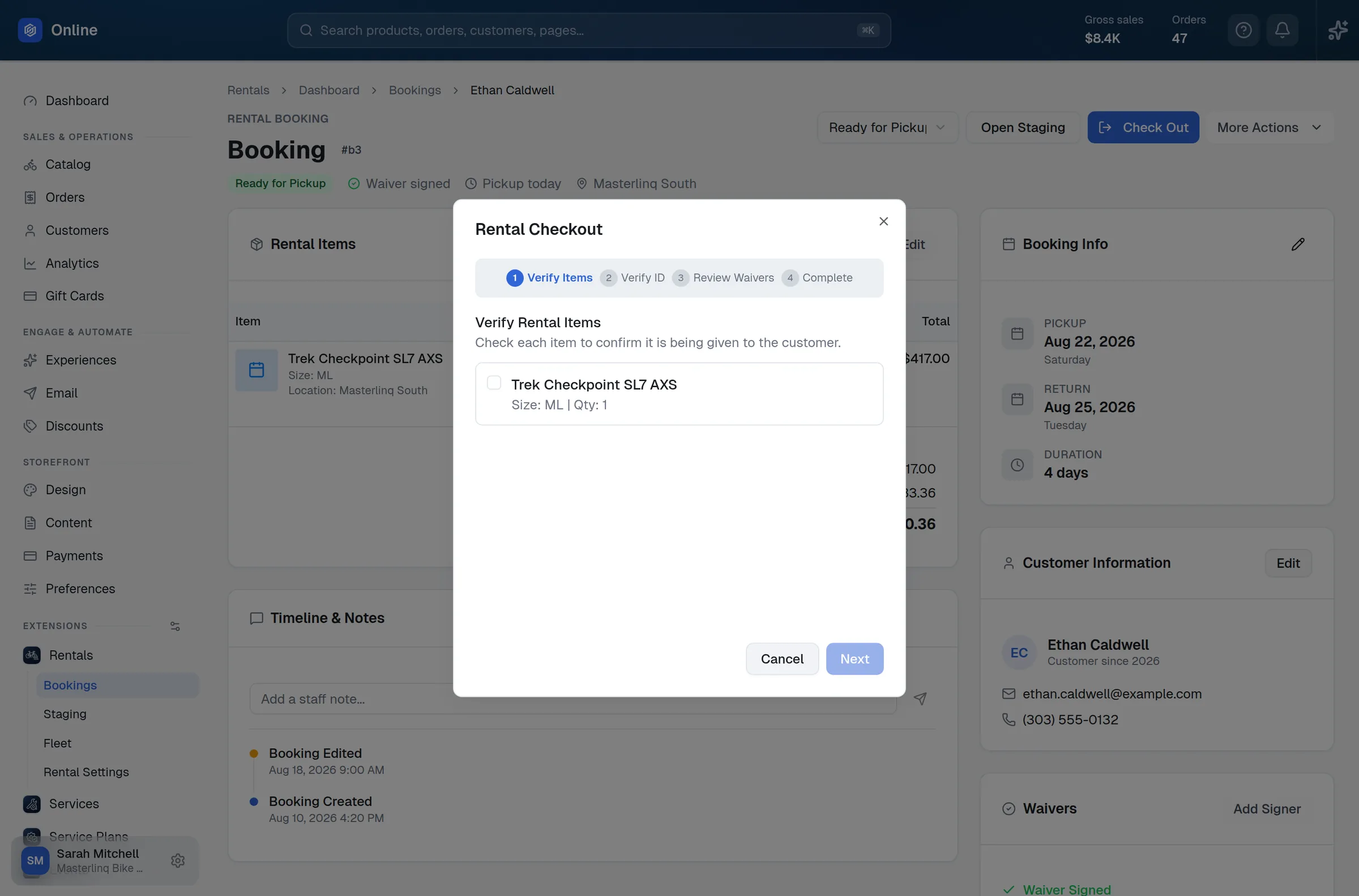
Guided Out, Guided Back
Check-out walks staff through the items, a photo ID check, and the waivers. Check-in confirms the gear and records condition notes. Real pickup and return times land on the booking.
Paperwork, Without the Paper
Waivers, deposits, and charges handled properly — on Stripe, with a full ledger on every booking.
Your Document Set
Liability waiver, rental agreement, damage policy, pickup and return instructions, and your own documents — each one on or off.
Every Rider Signs
Add riders and email each one a signing link. The booking isn’t marked signed until everyone has.
Deposits, Your Way
A percent of the rental or a flat amount per bike, with per-bike overrides — held at booking, credited at settlement.
Charge the Saved Card
Capture the deposit, collect the balance, or add a charge with a note. Refunds and adjustments, all in the booking’s payment history.
Discounts & Rewards
Codes can target all rentals or specific bikes — online and at the register — and rentals earn rewards points.
Emails That Send Themselves
Confirmations, day-before reminders, cancellations, and staff alerts — every one editable.
Every Booking, One Place
Wherever it started, every rental lands in the same list, the same calendar, and the same numbers.
List or Calendar
Search, filter by status and location, and jump to what’s due back or overdue.
The Whole Story
Booked, staged, picked up, returned — with staff notes and every change on one timeline.
Know Where You Stand
A rentals dashboard with today’s work, revenue against last month, and fleet status — plus CSV export.
Ready to put your whole fleet on one calendar?
See the fleet, the board, and the booking flow — online and at the counter.